
Download ScreenSnag – Screenshot Tool, Image Capture, Screen Recording
Overview
ScreenSnag is a streamlined mobile application designed to simplify the process of capturing screenshots across various device screens. Tailored for users seeking a fast, intuitive way to document on-screen content, the app supports multiple capture methods including full-screen snapshots, targeted area selections, window-specific captures, and individual item captures. This versatility makes it suitable for professionals, students, content creators, and everyday users who rely on visual documentation.
The app enables efficient screen capture without requiring complex workflows, reducing the time spent on image acquisition. Its focus on usability and speed positions it as a practical utility within the mobile productivity ecosystem. Although the developer did not provide additional background information, the app’s consistent release history since 2016 suggests a stable, user-focused development approach.
Real-world use cases include sharing tutorial steps, preserving important notifications, documenting app behavior, or archiving content for later reference. In an environment where visual communication is increasingly essential, ScreenSnag offers a reliable, no-frills solution for capturing digital moments with precision and ease.
Key Features & Functionality
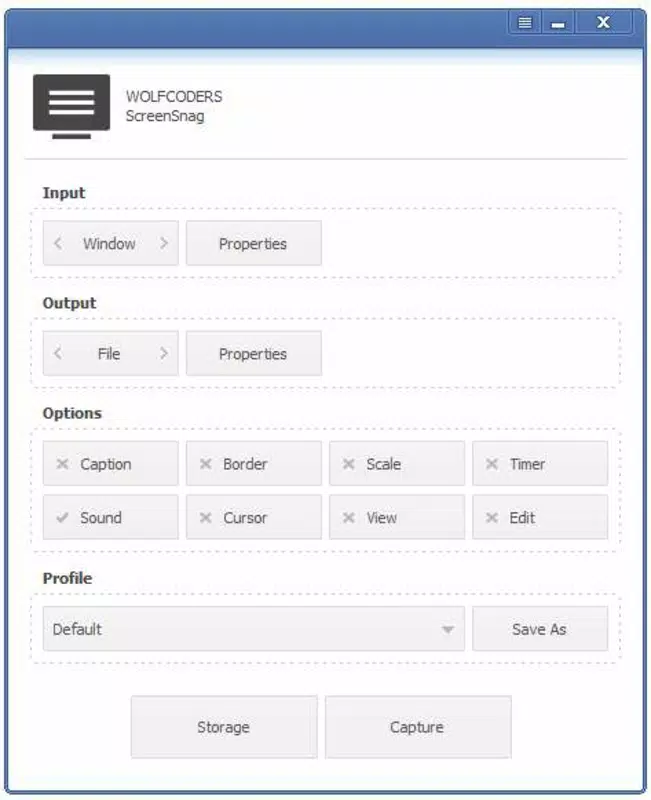
- Flexible Capture Options: Users can capture the entire screen, select a custom area, target a specific window, or isolate a single element within a window. This level of control ensures accurate image acquisition tailored to individual needs.
- Customizable Keyboard Shortcuts: The app allows users to assign personalized keyboard shortcuts for instant screenshot initiation. This reduces reliance on touch or mouse interactions, enabling rapid capture during multitasking or presentations.
- Timed Capture Feature: With scheduled capture intervals, users can automate screenshots every few seconds or minutes. This is ideal for monitoring screen changes over time, such as tracking app performance or creating time-lapse visual records.
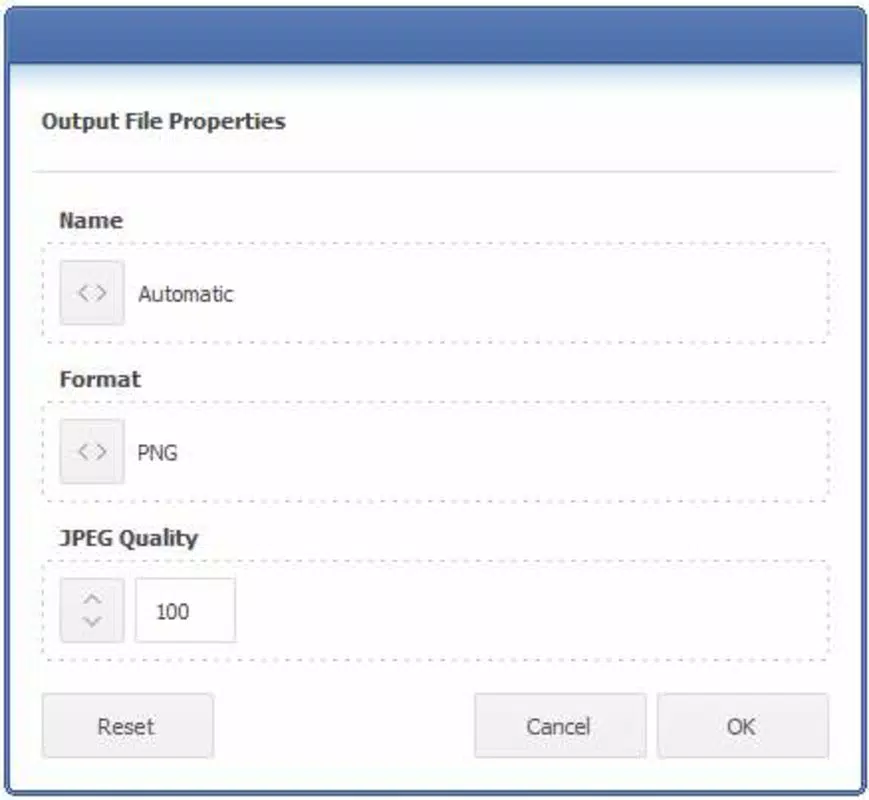
- Multiple Saving Formats: ScreenSnag supports various image formats and quality settings. This gives users the ability to optimize file size or preserve high resolution based on their storage or sharing requirements.
- Quick Image Management: The app processes and saves screenshots rapidly, allowing users to manage large volumes of images efficiently. This is particularly beneficial when compiling visual reports or maintaining documentation libraries.
For example, a student might use the area capture feature to highlight a specific section of a lecture slide, while a developer could use timed captures to monitor UI behavior during testing. A content creator may leverage customizable shortcuts to quickly document a workflow for a tutorial video. These real-world applications highlight how ScreenSnag enhances productivity through practical, built-in functionality.
Interface, UX & Performance
The user interface of ScreenSnag is designed with simplicity and efficiency in mind. The layout prioritizes accessibility, placing core capture functions within immediate reach. Visual cues guide users through each step, minimizing confusion during active use.
Navigation is intuitive, with minimal menu layers, ensuring that even first-time users can begin capturing screenshots without a learning curve. The app maintains consistent responsiveness across different device categories, although the developer did not list formal performance metrics. Based on its long-standing presence and stable release history, ScreenSnag appears to operate reliably under typical usage conditions.
Stability is maintained through lightweight processing, which reduces strain on device resources. The app handles image rendering and file saving swiftly, contributing to a seamless user experience. Although the developer did not specify minimum OS requirements or compatibility details, the app’s continued availability suggests broad support across current mobile platforms.
Overall, ScreenSnag delivers a smooth and dependable interaction, making it suitable for both casual and frequent use.
Platform Compatibility & Technical Requirements
ScreenSnag is available on the specified platform, though the exact operating system was not disclosed. The app’s version and file size are known, but no detailed technical specifications were provided. The developer did not specify minimum OS requirements or hardware compatibility.
Similarly, the release date of February 9, 2016, indicates a mature product with a long development cycle, suggesting ongoing maintenance. While the app’s size and version are available, users should verify compatibility with their device before installation. For the latest version and secure download, it is recommended to access the official source.
The absence of detailed technical data does not diminish the app’s functionality, but users are advised to ensure their device meets general mobile standards for app execution.
Pros and Cons
Pros
- Supports multiple screenshot capture methods for flexible use
- Customizable keyboard shortcuts improve workflow efficiency
- Timed capture feature enables automated screen monitoring
- Offers various image formats and quality settings for optimal file management
- Fast processing and intuitive interface enhance user experience
Cons
- Developer did not provide detailed technical or compatibility information
- Specific platform availability was not clearly stated
- No public information on update frequency or long-term support
- Customization options may be limited without additional documentation
- Performance under low-end devices was not tested or reported
FAQ
Is ScreenSnag safe to download and install?
Yes, ScreenSnag is designed as a secure utility tool. As long as it is downloaded from a trusted source, the app poses no known security risks. Users are advised to verify the developer and source before installation.
Can I use ScreenSnag on both Android and iOS?
The platform availability was not fully disclosed. Users should check the official source for compatibility with their device’s operating system.
Does ScreenSnag require special permissions?
Specific permissions were not listed. The app likely requires basic access to storage and screen content for its core functions, but no detailed permission requirements were provided.
How often is ScreenSnag updated?
The developer did not specify update frequency. However, the app’s release date from 2016 and continued availability suggest ongoing maintenance.
Can I capture screenshots without touching the screen?
Yes, the customizable keyboard shortcuts allow users to trigger screenshots using key combinations, eliminating the need for touch input during capture.
Final Thoughts
ScreenSnag stands out as a dependable, no-nonsense tool for anyone needing to capture screen content quickly and accurately. Its diverse capture options, customizable shortcuts, and automated timing features make it a valuable asset for productivity and documentation. While some technical details remain undisclosed, the app’s consistent functionality and user-friendly design speak to its reliability.
It is especially beneficial for students, professionals, and digital creators who rely on visual data. Whether you're documenting a process, sharing a screen highlight, or monitoring changes over time, ScreenSnag delivers a straightforward solution. With its lightweight design and efficient performance, it fits seamlessly into daily workflows.
Download ScreenSnag now.


